Boost Your Business: 8 Fixes for Google’s New AI Playbook
Discover 8 essential fixes to align your website with Google's AI. Learn how to improve site speed, optimize content, enhance media, and integrate your SEO and ad teams for better rankings and lower ad costs.

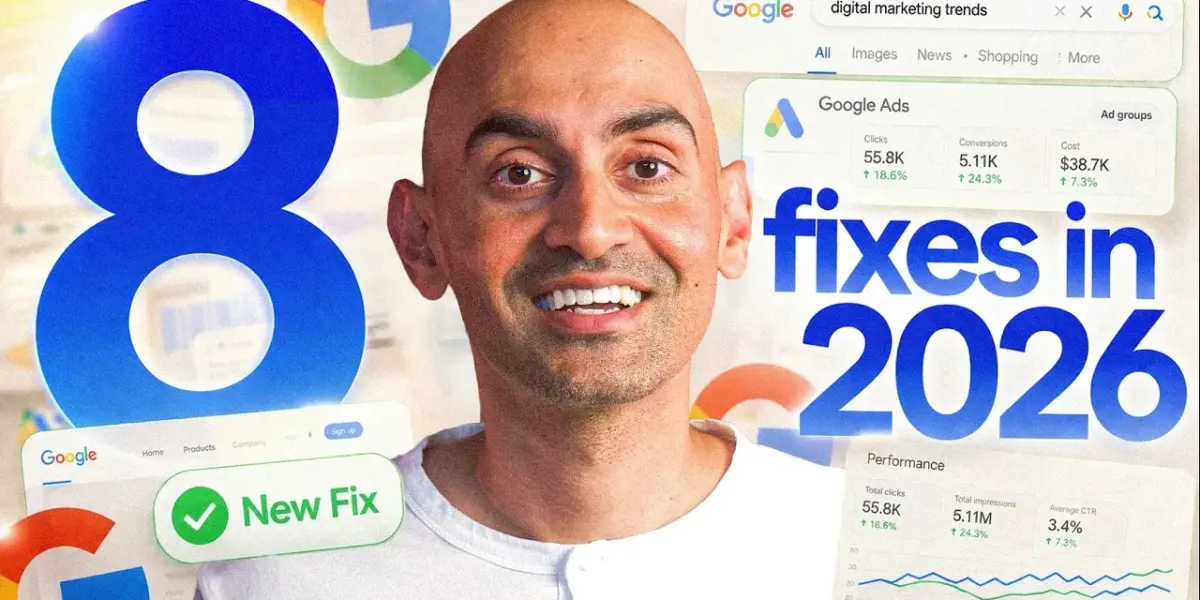
How to Improve Your Google Rankings and Lower Ad Costs
Google’s search and advertising systems have changed significantly. Now, Google’s AI uses your website as a key source of information for both organic search results and paid ads. This means your website’s speed, content, and overall quality directly impact how well your ads perform and how high you rank. If you don’t adapt, you might see your ad costs rise and your website disappear from search results, while competitors who make these changes thrive. This guide will show you eight essential fixes to update your website for Google’s new AI-driven approach.
What You Will Learn
You’ll learn how to make your website faster, improve the quality of your website copy and media, optimize your product listings for shopping ads, and signal to Google what your pages are truly about. We’ll also cover how to build trust and authority, create in-depth content, and get your SEO and paid ad teams working together. By following these steps, you can improve your website’s visibility, reduce advertising expenses, and gain a competitive edge.
Prerequisites
- Access to your website’s content management system (CMS) or ability to work with a web developer.
- Access to your Google Merchant Center account (if you sell products online).
- Basic understanding of your website’s key pages and products.
The 8 Essential Fixes
Step 1: Make Your Website Fast
For 25 years, Google treated organic search and ads as separate systems. That separation is gone. Google’s AI now heavily relies on your website to create ads, decide what’s relevant, and pick landing pages. Your website is no longer just a place for visitors; it’s the source material Google’s AI uses for your campaigns. The first thing the AI checks is if your site actually works well for visitors. Google’s Smart Bidding looks at your conversion rate as a key signal. If your page takes four or five seconds to load, people often leave before they buy anything. The AI notices this low conversion rate and is less likely to send ad budget to that slow page. A fast, clean landing page can improve your conversion rate, which helps both your search rankings and your ad performance. A slow page hurts both.
Action: Use the free Google PageSpeed Insights tool to test your most important landing pages. Focus on fixing the slowest ones first. Improving speed helps both your SEO and your ad campaigns with a single change.
Step 2: Clean Up Your Website Words
Google’s AI pulls text from your website, like headlines and descriptions, to help build your ads. For example, Performance Max (PMAX) uses your website’s text to generate ad copy. If your homepage headline is vague, like “Our Solutions” or “Welcome,” the AI has poor material to work with. This leads to ads that people don’t want to click, but you still pay for them to be seen. The common mistake is writing title tags for search bots instead of for people, often by stuffing keywords or being unclear. This results in a lack of conversion intent.
Action: Review the headlines on your most important pages. Ask yourself: If this headline appeared in a Google ad, would someone click it? If the answer is no, rewrite it. Make it specific, explain what you do for people, and why they should care. Your website’s copy is now the source for your ad copy, so every headline matters.
Step 3: Add Real Images and Videos
Your website’s images and videos are also used by Google’s AI. PMAX needs video assets to run effectively across platforms like YouTube and Display. If you don’t provide them, the system might create low-quality videos automatically, which will run with your brand name attached. The same happens with images. If your landing pages lack good photos, the AI will use whatever it finds, such as generic stock images or random graphics. This can lead to ads that don’t represent your brand well.
Action: You don’t need professional production. Get a clear, well-lit 15-to-30-second video for your pages. Use real photos of your product, your team, or your results instead of stock images. This provides PMAX with quality material to use across different channels. It also prepares your site for multimodal search, where Google can show video results directly within AI-powered answers.
Step 4: Optimize Your Product Feed (For Online Sellers)
If you sell products online, optimizing your product feed is crucial for shopping ads within PMAX. The data you send to Google Merchant Center about your products forms the basis of these ads. Detailed data significantly improves ad relevance and quality scores. However, many brands only fill out half the available fields. This limits how well Google can match your products to potential buyers.
Action: For every product, fill out all relevant fields in your Google Merchant Center feed. Include details like brand name, color, size, and materials. The more specific information you give Google, the better it can connect the right product with the right buyer, even for very specific searches. Limited product data means the AI has less information to work with, which can hurt your ad performance.
Step 5: Help Google’s AI Understand Your Website
Google’s AI reads your website to understand what each page is about. Without clear signals, it has to guess, and wrong guesses can lead to showing the wrong page in search results or creating less relevant ads. You can provide clearer signals by adding schema markup, which acts like labels that tell Google exactly what is on each page. When you add these labels, Google can use the data to create richer ad extensions, such as star ratings, pricing, and FAQ answers, that appear directly in your ads. These extras can increase your click-through rates, meaning more clicks for the same ad budget.
Action: Ask your developer or SEO team to add schema markup to your top five conversion pages. This helps Google understand your content better, leading to more effective ad extensions and improved click-through rates.
Step 6: Build Deep, Comprehensive Pages
Stop creating many small pages on similar topics. Instead, build one in-depth page that covers a subject completely. Many businesses create numerous blog posts on slightly different versions of the same topic, like “best CRMs for small businesses” and “best CRMs for startups.” This used to be effective, but now Google’s AI can struggle to determine which page is the best match for a given search. This is especially true when PMAX uses URL expansion to choose where to send your paid traffic.
Action: Choose your most important topics and create one deep, comprehensive page for each. Cover every angle, organize it with clear sections and a table of contents, and aim to make it the definitive resource. When Google’s AI finds a strong, pillar page, it’s more likely to direct both organic search traffic and paid ad clicks to the right landing page. One strong page often performs better than many scattered ones. For AI Max, this deep content also helps the system reach users with complex conversational searches.
Step 7: Show Real Expertise and Trust
Google doesn’t just look at your content; it evaluates if your site demonstrates genuine expertise, experience, and trustworthiness. This is often referred to as E-A-T (Expertise, Authoritativeness, Trustworthiness), and it influences how Google’s systems judge your content quality. From Google’s viewpoint, if the AI is going to use your website as source material for ads or search results, it needs to know you are credible. Having more of these trust signals helps Google’s systems work in your favor, leading to higher ad quality and better conversions over time. A common mistake is trying to fake this with low-quality backlinks. The new approach focuses on real credibility, genuine reviews, proven expertise, and real people behind the content. This is hard for competitors to copy.
Action: Build real credibility by showcasing customer reviews, expert author bios, case studies, and clear contact information. Demonstrate your experience and build trust with your audience. Competitors often neglect this, creating a significant advantage for businesses that focus on genuine trustworthiness.
Step 8: Unite Your SEO and Paid Teams
While each of the previous steps works on its own, getting your SEO and paid advertising teams to collaborate makes all these fixes compound. Most companies have their SEO and ad teams working with separate data and never sharing insights. However, Google’s AI views your entire website as a single system and doesn’t recognize these team separations. When teams work independently, valuable opportunities are missed, and inefficiencies can persist.
Action: Hold monthly meetings where both your SEO and paid teams come together. Analyze which searches are driving paid conversions and have your SEO team create content around those topics. These new pages can then serve as stronger landing pages for the ad system, potentially lowering costs and improving results. Simultaneously, your SEO team can identify irrelevant searches that are wasting ad budget. Flagging these searches for exclusion allows the paid team to save money immediately. This collaboration turns eight individual fixes into a self-improving system that enhances both your website and your advertising campaigns over time.
Conclusion
By implementing these eight fixes, you are adapting to Google’s evolving AI systems. This integrated approach ensures your website is fast, informative, trustworthy, and well-understood by Google’s AI. This strategy benefits both your organic search performance and your paid advertising efficiency, creating a powerful, self-improving marketing machine.
Source: The New Google Playbook: 8 Things You Must Fix Right Now (YouTube)

Related Articles


Make Your Google Ads Clickable: Write Better Headlines
Learn how to improve your Google Ads by rewriting website headlines. Discover common mistakes and get tips to make your ads more clickable and effective for your business.

Google Unleashes AI Tools, Anthropic’s Model Stirs Debate
Google has launched a suite of new AI features, including an AI-powered Gmail assistant and enhanced video editing tools. Meanwhile, Anthropic's powerful but unreleased Claude model sparks debate, and open-source AI continues to rapidly innovate, with China's GLM 5.1 offering a high-performance, free alternative.


Boost Sales by Focusing on Quality Traffic
Discover why focusing on website traffic quantity is outdated. Learn how to attract higher-quality visitors who are more likely to convert and boost your sales.