2026 Gaming PC Build: Smarter Choices Amidst Evolving Tech
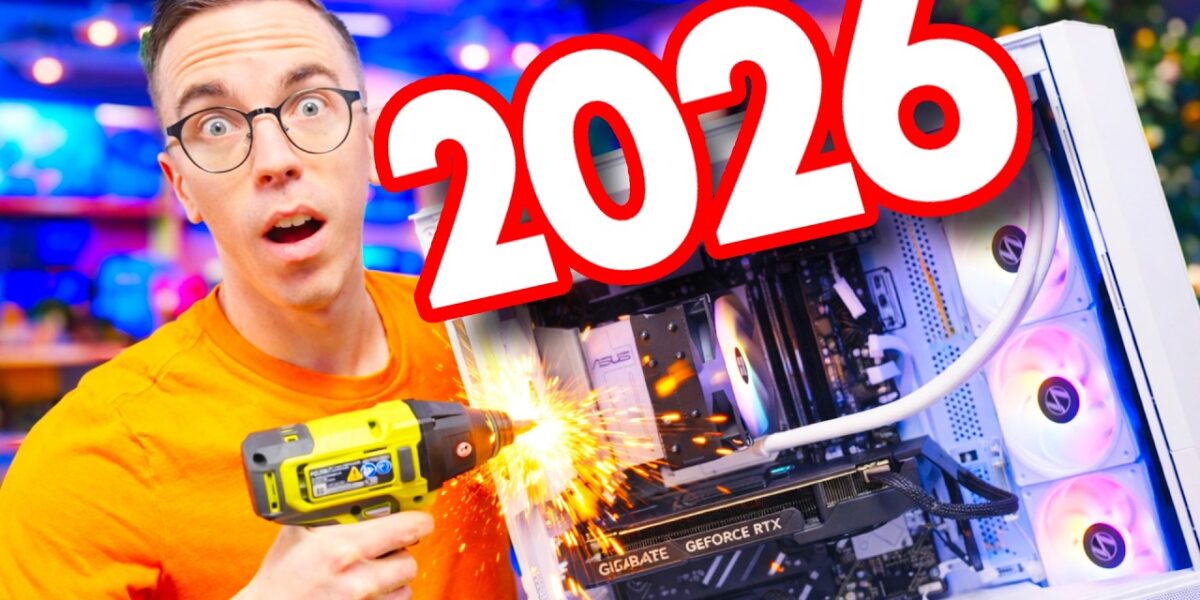
Building a gaming PC in 2026 still involves careful component selection, with RAM prices being a key consideration. This guide details a capable mid-range build focused on value and future-proofing, featuring the AMD Ryzen 5 7600X and an RTX 5060.

2026 Gaming PC Build: Smarter Choices Amidst Evolving Tech
Building a gaming PC in 2026 presents a landscape of familiar components but with notable shifts in availability and pricing, particularly for RAM. This guide breaks down the essential choices for a capable mid-range gaming rig, emphasizing compatibility, value, and future-proofing.
The Foundation: CPU and Motherboard Compatibility
The Central Processing Unit (CPU) remains the brain of your PC, dictating many other component choices. For 2026, both AMD and Intel offer compelling options, but the key is ensuring socket and generation compatibility with your motherboard. For this mid-range build, the AMD Ryzen 5 7600X is a strong contender, especially when bundled through retailers like MicroEnter, which can offer significant savings.
Crucially, the motherboard must match the CPU’s socket. For AMD, the AM5 socket is the current standard, offering better future upgrade potential compared to the still-viable but older AM4. On the Intel side, sockets like LGA 1700 and the newer LGA 1851 are prevalent.
The ASUS B650E Max Gaming Wi-Fi motherboard, featuring the AM5 socket, is chosen for its modern features and upgrade path. Remember that motherboard sizes (ATX, microATX, miniITX) must also be compatible with your chosen PC case.
Cooling and Memory: Keeping it Efficient
While many entry-level CPUs include a stock cooler, higher-end processors like the Ryzen 5 7600X typically do not. For this build, the Thermalright Assassin X120 refined RGB air cooler provides adequate cooling without being overly complex or expensive. Air coolers are a solid choice for mid-range builds, though liquid (AIO) coolers offer a different approach with their own pros and cons.
RAM has seen a significant price increase in 2026 due to ongoing shortages. Flexibility in specific models is key. For an AM5 build, DDR5 memory is mandatory, representing the current standard.
While 16GB is the absolute minimum for a gaming PC, 32GB is desirable if budget permits. This build opts for 16GB of G.Skill DDR5 RAM, again leveraging a bundle deal to mitigate costs.
Storage: Speed is Paramount
When it comes to storing your operating system, games, and files, speed is the primary differentiator. While traditional Hard Disk Drives (HDDs) offer large capacities at lower prices, they are far too slow for running an OS. SATA SSDs are about ten times faster than HDDs and are the minimum recommended for your primary drive. However, NVMe SSDs, which resemble smaller RAM sticks, are considerably faster, with top-tier drives being up to 60 times quicker than legacy HDDs.
For nearly any new PC build in 2026, defaulting to NVMe storage is the smart move. The build features a 1TB Crucial P310 NVMe SSD.
The Heart of Gaming: Graphics Card (GPU)
The Graphics Processing Unit (GPU) is the single most critical component for gaming performance, directly impacting frame rates and resolution. Choosing a GPU depends on the games you play and their requirements. For this build, the Gigabyte RTX 5060 8GB is selected.
While 8GB of VRAM is on the lower end, it’s sufficient for a budget-conscious mid-range system. For more demanding titles or higher resolutions, 12GB or 16GB of VRAM would be preferable, but this often comes with a significant price increase.
Powering the System: The Power Supply Unit (PSU)
A reliable Power Supply Unit (PSU) is non-negotiable. It converts AC power from the wall into stable DC power for your components. Do not skimp here, as a faulty PSU can damage your entire system.
Calculate the total power needs of your components (a PC builder tool can help) and add headroom for future upgrades. The RTX 5060 recommends a 550W PSU, but for this build, a Corsair CX 650M is chosen.
This 650W unit provides ample power and includes an ATX 3.1 connector, beneficial for modern NVIDIA GPUs. PSUs also have efficiency ratings like 80 Plus Bronze or Gold; while not a direct indicator of quality, they can be a useful metric.
The Outer Shell: PC Case and Aesthetics
The PC case is where aesthetics meet functionality. While offering the most flexibility for customization (RGB lighting, fans), it must still provide adequate airflow and space. The Lian Li Vector ATX chassis is chosen for its ease of building, ample airflow, and visual appeal.
Cases come in various sizes (ATX, microATX, miniITX), influencing the overall footprint and component compatibility. Smaller form factors like miniITX can be more expensive and challenging to build in.
Assembly: A Step-by-Step Approach
Building a PC, even in 2026, primarily requires a Phillips head screwdriver. The process begins with preparing the case, often installing the PSU first. The motherboard assembly is best done outside the case on its box to easily install the CPU, CPU cooler, RAM, and SSD.
Compatibility checks are vital, especially for CPU socket and RAM type (DDR5 for AM5). Pay close attention to motherboard manual diagrams for crucial connections like front panel headers (power button, LEDs) and fan headers.
The CPU installation involves carefully aligning the processor with the socket’s indicators and securing the retention arm. RAM slots are typically color-coded or labeled to indicate dual-channel configurations (e.g., A2 and B2). NVMe SSDs slot directly into M.2 connectors, often with pre-installed heatsinks.
The CPU cooler is then mounted, connecting its fan to the CPU_FAN header on the motherboard. Finally, the assembled motherboard with its components is carefully installed into the case, connecting all necessary power and data cables from the PSU.
The GPU slides into the top-most PCIe slot, secured with screws. All power cables from the PSU must be connected to the motherboard (24-pin ATX, 8-pin EPS for CPU), GPU, and any other components.
Cable management, while not strictly performance-enhancing, is crucial for airflow and a clean look. Keeping the plastic film on glass panels until the very end can prevent smudges.
Verdict and Target Audience
This build, costing just over $1000, represents a solid mid-range gaming PC for 2026. It balances performance with cost-effectiveness, prioritizing components like the NVMe SSD and RTX 5060 for gaming. The choice of an AM5 motherboard offers a degree of future-proofing.
This build is ideal for gamers looking for a capable 1080p or entry-level 1440p experience without breaking the bank. While component prices and availability can fluctuate, the core principles of compatibility, careful selection, and methodical assembly remain constant.
Specs & Key Features
- CPU: AMD Ryzen 5 7600X
- CPU Cooler: Thermalright Assassin X120 refined RGB (Air Cooler)
- Motherboard: ASUS B650E Max Gaming Wi-Fi (AM5 Socket)
- RAM: 16GB G.Skill DDR5
- Storage: 1TB Crucial P310 NVMe SSD
- GPU: Gigabyte RTX 5060 8GB
- PSU: Corsair CX 650M (650W, ATX 3.1)
- Case: Lian Li Vector ATX Chassis
- Estimated Price: ~$1000+
- Key Features: AM5 platform for future upgrades, NVMe storage for fast load times, dedicated GPU for gaming, ATX 3.1 PSU for modern compatibility.
Availability
Components are available through major online retailers, with MicroEnter highlighted as a source for bundles and potential savings. Specific pricing and availability may vary.
Source: Building a Gaming PC in 2026 is DIFFERENT (YouTube)

Related Articles


Mom’s Basement Gets a $5K Gaming Power-Up
A $5,000 AMD tech upgrade transformed a 'mom's basement' into a high-performance gaming haven. The upgrade features a powerful AMD Ryzen 7 9850X3D CPU, stunning 4K retro gaming capabilities with the RetroTink 4K Pro, and enhanced audio gear.

Stop Buying the Wrong SSDs: The DRAM Cache Secret
Many SSDs hide whether they contain a crucial DRAM cache, impacting performance and reliability. This guide explains why this chip matters, how to identify it, and which brands are transparent.


Laptop Upgrades: Is Your Old PC Still Fine?
Older laptops are still fine for basic tasks, but modern machines offer huge leaps in screen quality, battery life, and performance. The Lenovo Yoga 7A showcases these advancements, making an upgrade compelling for many users.