Webcam Wars: Finding the Best for Every Budget
After testing 16 webcams, we've crowned the best for every need and budget. From the everyday user to the professional content creator, discover which webcam offers the best balance of image quality, features, and price. Avoid budget traps and invest wisely in your virtual presence.

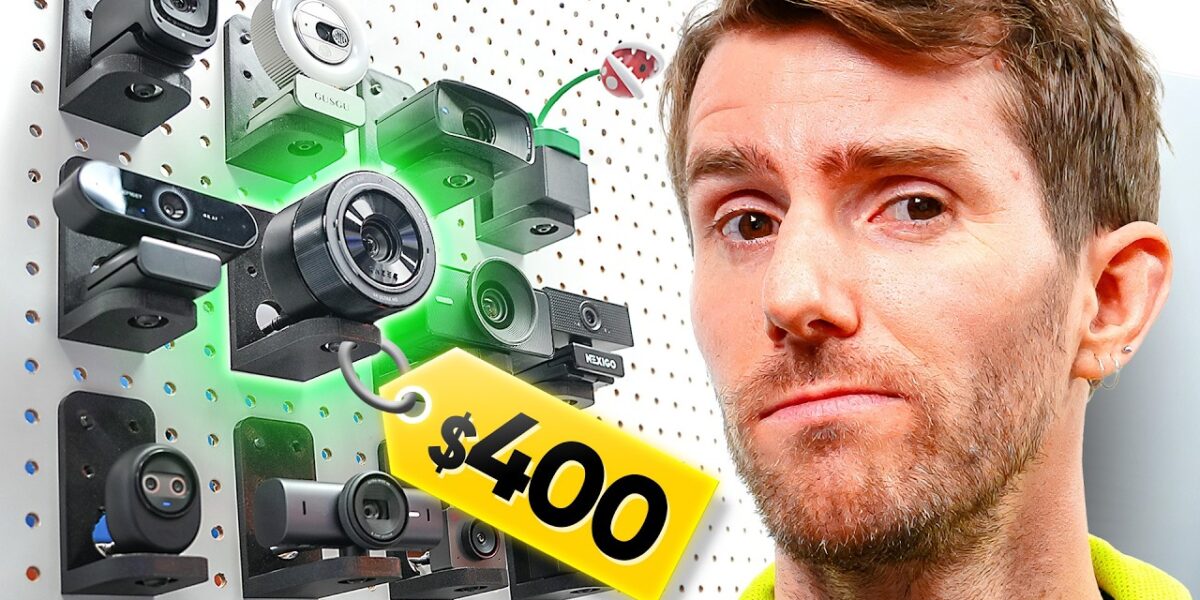
Webcam Wars: Finding the Best for Every Budget
In an era where virtual presence is paramount, the humble webcam has transitioned from a niche gadget to an essential tool for work, education, and social connection. With over $2,000 invested in testing 16 diverse models, from budget-friendly options to premium powerhouses, we’ve navigated the often-confusing landscape of webcams to bring you the definitive guide. Our rigorous testing aimed to separate the genuinely useful from the shamelessly overpriced, considering everything from image quality and audio performance to innovative features like AI autofocus and subject tracking.
The Average User’s Champion: Logitech Brio 101
For the everyday user who simply needs to appear clearly on screen for work meetings or family calls, the Logitech Brio 101 emerges as our top recommendation. It strikes an excellent balance, offering ease of use, a natural-looking image, decent microphone quality, and the reliability of a trusted manufacturer, all at a reasonable price point. While it may not boast the highest resolutions or the most advanced features, its straightforward performance and dependable nature make it the go-to choice for general use.
Navigating the Budget Minefield
The sub-$60 market is rife with tempting offers, particularly those touting 1080p and even 4K resolutions. However, our investigation revealed that many of these are misleading. A simple test involving fine print revealed that some budget 4K webcams offered no discernible improvement over 1080p, often introducing digital noise and poor focus, especially in low light. These devices frequently rely on tactics like review farming and price manipulation to appear more valuable than they are. We strongly advise caution and suggest steering clear of any low-cost webcam that promises 4K HDR at a price that seems too good to be true – it almost certainly is.
Contenders in the Budget Segment:
- Anker C200: Impresses with strong low-light performance and a wide field of view, making it suitable for group calls or streaming. However, it tends to oversharpen images and overexpose, losing fine details. Its software offers limited control over brightness, sacrificing HDR capabilities.
- Nexigo N60: Delivers punchier colors and good motion performance at a competitive price point, often matching the Brio 101. The 110° field of view can exhibit a fisheye effect, but the overall image quality is strong for its price, provided you stay within its optimal focus range.
- Gusu G910 (Wild Card): This model stands out with a 1440p resolution and an integrated ring light. It offers a cleaner image than the Nexigo N60 without the fisheye effect or oversaturation, but comes at a significantly higher cost.
In terms of audio quality within this price band, the Logitech Brio 101 holds its own, clearly outperforming the Dic and Nexigo offerings. While the Anker and Gusu are competitive, the Brio 101’s combination of decent audio, natural image, and affordability secures its win for the ‘just need a usable webcam’ category. If image quality is paramount, the Nexigo N60 is a strong contender, especially for low-light social calls.
Mid-Range Marvels and Wild Cards
Moving into the mid-range segment (typically $70-$150), we find more sophisticated and well-rounded options, shedding the novelty factor for genuine performance improvements.
Notable Mid-Range Options:
- Elgato Face Cam Mark II: Offers HDR and low-latency 60fps video, but lacks autofocus, requiring manual adjustment or Elgato’s software for optimal performance.
- OBSBOT Meet 2: This webcam boasts 4K resolution, AI framing, autofocus, and HDR. Its 50-megapixel sensor allows for oversampling, resulting in a sharper image. While slightly slower than the Elgato, its overall quality and features are highly commendable, making it a favorite in this segment. It also features convenient magnetic mounting.
- OBSBOT Tiny 2 (Premium Segment): Builds upon the Meet 2 by adding a gimbal for full PTZ (Pan-Tilt-Zoom) control. This enables automatic tracking and motion-based zoom controls, making it ideal for presenters or educators who need to move around. It offers similar image quality to the Brio but with advanced tracking capabilities.
- OBSBOT Pixie (Wild Card): A more affordable option with a gimbal and PTZ control, offering impressive movement capabilities for its price, especially when found on sale.
- OBSBOT Tiny 2 Light (Premium Segment): Offers similar image quality to the Brio but incorporates a gimbal for automatic tracking, similar to the Pixie. It also includes motion controls for zoom.
- Emeet Nova 4K AF / Emeet Pico: Both offer 4K resolution and quick autofocus. The Nova 4K AF required some white balance and exposure adjustments via Emeet’s Link software, while the Pico offered a more refined experience with the Studio app for tone and field-of-view adjustments. Both use a mediocre microphone solution, but their image quality is strong for the price.
- Insta360 Link 2: Our top pick in the premium segment, praised for its exceptional handling of varied skin tones and responsive AI person tracking. A standout feature is its quick-switch framing modes, perfect for streamers and educators who need to transition between webcam views and screen sharing seamlessly. It also includes beauty filters and color configuration through its software.
- Insta360 Link 2C: A more affordable version of the Link 2, omitting the gimbal but retaining the excellent tracking and image quality.
The Pinnacle of Webcam Technology
In the premium tier, where price is less of a concern and cutting-edge features are expected, the competition intensifies.
High-End Contenders:
- Logitech MX Brio: A user-friendly webcam with excellent out-of-the-box image quality. However, it can struggle with intense colors and lacks some of the advanced features found in competitors at this price point. Its audio quality is a slight improvement over the budget Brio 101 but not class-leading.
- Elgato Face Cam 4K: Focuses on 4K resolution at a smooth 60fps, appealing to streamers who want high-quality full-screen webcam footage without the complexity of a capture card. It supports lens filters but lacks onboard audio and shows weaker low-light performance compared to some rivals.
- Razer Kiyo Pro Ultra: This webcam delivers arguably superior image quality, particularly in low light and with pleasing depth of field, thanks to its large 1-inch sensor. It requires a USB 3 port for its full capabilities. The main drawbacks are its somewhat cheap build quality, a lack of extras like gimbals, and a premium price tag that often doubles that of strong competitors like the Insta360 Link 2.
Verdict and Who Should Care
The webcam market is diverse, with options tailored to nearly every need and budget. For the average user prioritizing simplicity and reliability, the Logitech Brio 101 ($40-$60) remains an excellent choice. If image quality is a higher priority on a budget, the Nexigo N60 ($40-$60) offers a compelling alternative.
Content creators and professionals seeking a blend of quality and features should consider the OBSBOT Meet 2, especially when found on sale around $99. Its AI framing and magnetic mounting are significant advantages. For those who need to move and be tracked dynamically, the Insta360 Link 2 ($200-$300) is the standout premium option, offering exceptional tracking and versatility. Its gimbal-free sibling, the Link 2C, provides a more budget-friendly entry into this advanced tracking technology.
Avoid budget 4K webcams that seem too good to be true, as they often are. For the absolute best image quality, particularly in challenging lighting, the Razer Kio Pro Ultra ($300+) is a strong contender, though its high price and build quality concerns warrant careful consideration.
Specs & Key Features
- Logitech Brio 101: 1080p/30fps, decent mic, natural image, easy setup. Price: $40-$60.
- Nexigo N60: 1080p/30fps, 110° FOV, punchy colors, good motion. Price: $40-$60.
- Anker C200: 1080p/30fps, wide FOV, good low light, oversharpens. Price: $40-$60.
- Gusu G910: 1440p, ring light, similar to N60 but pricier. Price: ~$80.
- Elgato Face Cam Mark II: 1080p/60fps, HDR, no autofocus. Price: ~$150.
- OBSBOT Meet 2: 4K, AI framing, autofocus, magnetic mount. Price: ~$150-$200.
- Emeet Nova 4K AF: 4K, autofocus, requires software tuning. Price: ~$70-$100.
- Emeet Pico: 4K, autofocus, refined software. Price: ~$100-$150.
- OBSBOT Pixie: 1080p, gimbal, PTZ control. Price: ~$100-$150.
- OBSBOT Tiny 2: 4K, gimbal, advanced tracking, motion zoom. Price: ~$200-$300.
- Logitech MX Brio: 4K, excellent out-of-box image, good audio. Price: ~$200.
- Insta360 Link 2: 4K, AI tracking, quick framing modes, gimbal. Price: ~$200-$300.
- Insta360 Link 2C: 4K, AI tracking, no gimbal. Price: ~$150-$200.
- Elgato Face Cam 4K: 4K/60fps, no onboard audio. Price: ~$200-$300.
- Razer Kiyo Pro Ultra: 4K, 1-inch sensor, superior low light, premium build. Price: ~$300+.
A Note on USB Ports and System Load
Testing multiple high-resolution webcams simultaneously highlighted potential system challenges. Ensure your webcam is plugged into a USB 3.0 port for optimal performance, especially for 4K models. If you plan to run several demanding webcams, consider a USB expansion card with an additional controller to prevent performance issues and ensure each device functions correctly.
Source: I Tried All the Best Webcams (YouTube)

Related Articles


DualSense Dominates: PS5 Controller Crowned King
Sony's PlayStation 5 DualSense controller has been crowned the best of all time, surpassing even iconic predecessors. Its innovative haptic feedback and adaptive triggers offer unparalleled immersion, setting a new standard for gaming interaction. This advanced controller is a must-have for PS5 owners seeking a deeper connection to their games.


Lenovo’s Yoga 9i: The Future of Laptops is Here
Lenovo's Yoga 9i 2-in-1 Aura Edition arrives with Intel's Core Ultra Series 3 chips, boasting a 120Hz OLED display and zero pen latency. This versatile laptop seamlessly blends power and portability for students and creatives alike.


NFL Faces Antitrust Probe Over Streaming Game Fees
The Justice Department is investigating the NFL over its game streaming fees, aiming to ensure consumer affordability. Meanwhile, a 60-year-old man has walked onto a college football team, aiming to become the oldest player. Tensions remain high in the Middle East as peace talks loom, and First Lady Melania Trump has addressed rumors linking her to Jeffrey Epstein.