ChatGPT Now Shares Your Location for Smarter Answers
ChatGPT's mobile app now lets you share your location, making it easier to get relevant recommendations. This opt-in feature, found in settings, allows you to ask for things 'near me' and receive tailored answers based on your current position. Users control when this data is shared, balancing convenience with privacy.

ChatGPT Learns Your Whereabouts for Better Help
OpenAI has introduced a new feature for its ChatGPT mobile app that allows users to share their location. This update aims to make the AI assistant more helpful by understanding your current physical position. The location sharing is turned off by default, giving users control over their privacy.
To enable this feature, users need to go into the app’s settings and find the ‘Data Controls’ section. Within this menu, the new ‘Location’ option can be toggled on. Once activated, ChatGPT can use your real-time location to provide more relevant information.
How Location Sharing Works
Imagine you’re looking for a place to work or grab a coffee while traveling. Before this update, you’d have to manually tell ChatGPT your city or neighborhood. You might ask, “What’s a good co-working cafe in downtown Miami?” This required you to know the specific area you were interested in.
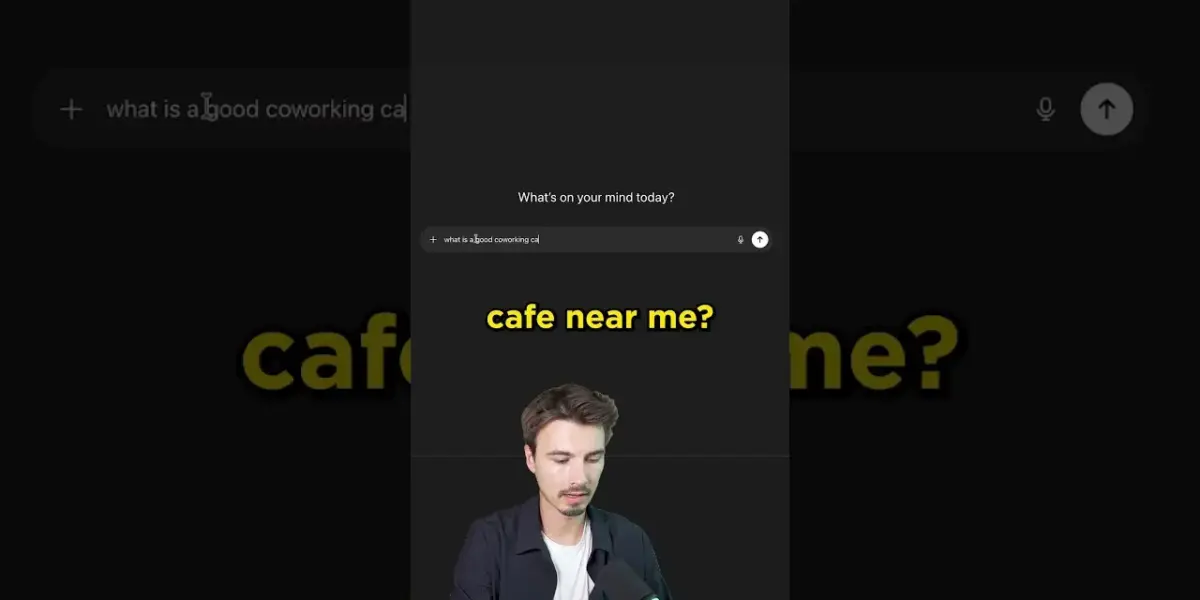
Now, with location sharing enabled, you can simply ask, “What’s a good co-working cafe near me?” ChatGPT will automatically know you are in Miami, for instance, and can provide recommendations based on your precise location. This makes the interaction much more natural and efficient.
Real-World Applications
This new capability opens up several practical uses. For travelers, it means getting instant, localized suggestions for restaurants, attractions, or services without needing to constantly update the AI about where they are. It’s like having a local guide in your pocket.
For everyday use, it can help find nearby businesses, navigate unfamiliar areas, or even get weather updates specific to your current spot. The AI can offer tailored advice, such as recommending a park nearby for a picnic or finding the closest pharmacy.
Privacy and Control
OpenAI has emphasized that location sharing is an opt-in feature. Users have the choice to turn it on or off at any time.
This approach respects user privacy, allowing individuals to decide when and if they want to share their location data with the AI. When location sharing is active, the app can display your approximate location, confirming the data it is using.
The ability to disable the feature means users are not permanently sharing their whereabouts. This granular control is crucial for building trust and ensuring users feel comfortable using the service. It allows for a balance between enhanced functionality and personal privacy.
The Impact on AI Assistants
Adding location awareness to AI assistants like ChatGPT is a significant step. It moves the AI beyond just processing text prompts to understanding context based on the real world. This context-aware computing can lead to more personalized and useful interactions.
Think of other AI applications. A travel planning app could suggest activities based on your current city and the time of day.
A shopping assistant could highlight local deals. The possibilities expand as AI gains a better understanding of our physical environment.
Availability
The location sharing feature is currently available on the ChatGPT mobile application. Users can access it by updating their app and navigating to the settings within the ‘Data Controls’ menu. OpenAI has not announced plans for this feature on the web version of ChatGPT at this time.
Users interested in trying out the new feature should ensure their ChatGPT app is updated to the latest version. They can then explore the settings to enable location sharing and experience the enhanced capabilities firsthand. The company continues to develop features that integrate AI more seamlessly into daily life.
Source: How to Use New ChatGPT Location Sharing 📍 (YouTube)

Related Articles

Google Vids Launches AI Video Creation Tools
Google has launched Google Vids, a new AI-powered video creation tool. It integrates AI video and music generation with customizable avatars and voiceovers. The platform aims to simplify video production for users of all skill levels.


White House Briefs Amid Outcry Over Trump’s AI Jesus Image
The White House held a press briefing addressing public backlash over a controversial AI-generated image of Donald Trump as Jesus Christ. The incident highlights growing concerns about the use of artificial intelligence in political messaging and the spread of misinformation. Officials reiterated the administration's commitment to combating AI misuse and promoting transparency.


AI Won’t Replace These 5 High-Paying Jobs by 2030
AI is set to transform the job market, impacting white-collar roles significantly. However, five high-paying job sectors—skilled trades, sales and relationship experts, AI implementation specialists, entrepreneurs, and healthcare professionals—are expected to remain largely resistant to full automation by 2030 due to their reliance on human touch, trust, and complex problem-solving.