Photoshop’s New AI Tool Twists Images into 3D
Adobe's Photoshop beta now lets you twist 2D images into 3D objects with AI. While fun to experiment with, the results can be messy, with AI sometimes creating bizarre "hallucinations."

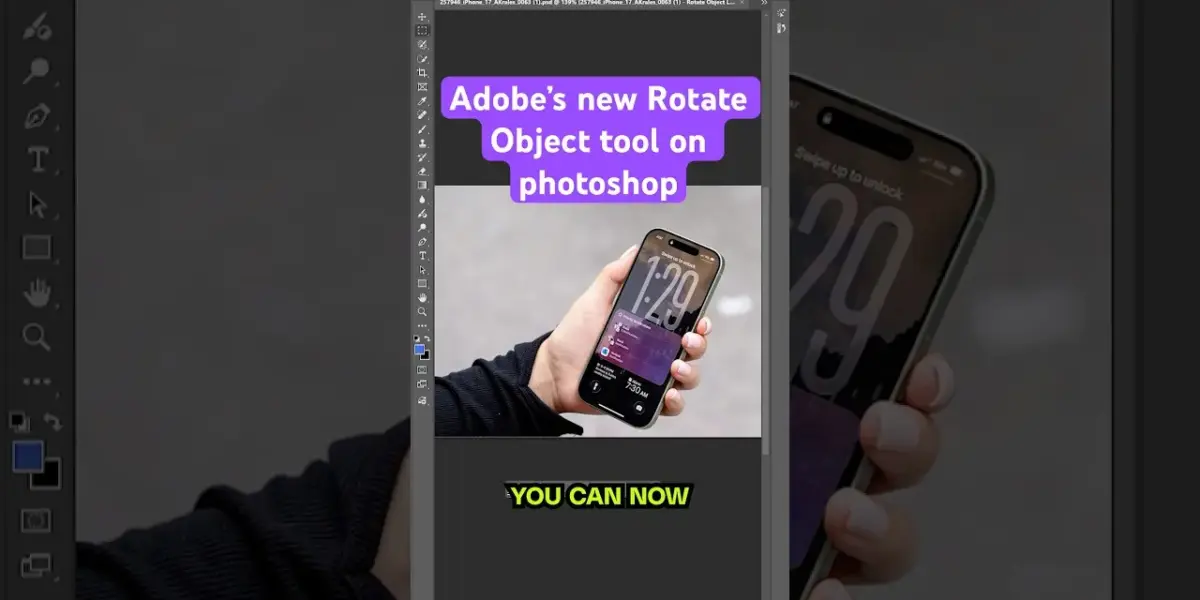
Photoshop Beta Introduces AI for 3D Object Rotation
Adobe is testing a wild new feature in Photoshop beta called “Rotate Object.” It lets you take a flat, 2D picture and twist it around like a 3D model. Think of it like taking a photo of a toy car and then spinning it in Photoshop to see its back, its top, or any other angle. This uses artificial intelligence to guess what the hidden sides of an object look like.
The process starts by selecting your subject. Then, you go to the transform options and choose “rotate object.” Photoshop then turns your flat image into a layer that can be rotated on different axes, tilted, or have its perspective changed. It’s a fascinating idea that could change how digital artists work with images.
How It Works and What You Get
Turning an image into a “rotatable object” costs 20 credits within Photoshop beta. This creates a lower-resolution 3D version of your object. Once you’ve spun it to the angle you want, Photoshop uses AI again to enhance and upscale the image back into a standard 2D format. This final step is where things can get a bit shaky.
In many cases, the results of this AI upscaling are not great. The article mentions seeing “AI artifacts” which are basically weird digital glitches. You might also find strange textures, blurry text, or even unsettlingly distorted hands. It’s like the AI is trying its best but sometimes gets very confused.
AI Hallucinations and Struggles
The AI behind Rotate Object is impressive when it guesses correctly. It can often figure out what the back of an object should look like surprisingly well. However, it’s not perfect and gets things wrong often. The tool seems to struggle the most with technology or objects that have screens.
One funny example involved a $5 bill. Photoshop’s AI hallucinated a second $5 bill behind the first one, plus a strange, unidentifiable cylinder. Another test with a drawing that was supposed to be a horse head resulted in a genuinely frightening image. It seems the AI can recognize horses, but not always in a pleasing way.
Potential and Pitfalls for Artists
Trying this feature on sketches and drawings was exciting. It felt cool to instantly move flat art into a 3D space. However, the article raises an important point about copyright. Rotating someone else’s artwork felt uncomfortable, and this tool could potentially lead to new legal issues if not used responsibly.
For now, the creator of the video plans to stick to their own art. The tool is described as fun to experiment with, but not quite ready for prime time. Adobe has a chance to make this incredibly useful if they allow the lower-resolution 3D models to be exported for use in 3D animation software.
Who Should Care?
This feature is currently in beta, meaning it’s a test version. It’s primarily for Photoshop users who enjoy experimenting with new AI tools and features. Digital artists, graphic designers, and hobbyists who like to push creative boundaries might find it fun, even with its current flaws.
If you are someone who likes to see what AI can do with images, or if you work with 3D concepts but find traditional 3D modeling difficult, this might pique your interest. It’s a glimpse into the future of image manipulation, even if that future is a little bit weird right now.
Specs & Key Features
- Feature Name: Rotate Object
- Status: Photoshop Beta
- Functionality: Turns 2D images into rotatable 3D objects using AI.
- Cost: 20 credits per object transformation.
- Process: Select object, transform, rotate, AI upscales back to 2D.
- Limitations: Can produce AI artifacts, strange textures, and “hallucinations.” Struggles with screens and complex details.
- Potential: Could be useful for artists if low-res 3D models are exportable.
Verdict
Adobe’s Rotate Object tool is an ambitious and intriguing addition to Photoshop beta. While it shows promise in letting users manipulate 2D images in 3D space, the current AI upscaling often produces messy results. It’s a fun toy for early adopters and experimenters, but it needs significant improvement before it’s a must-have feature for professional workflows.
Source: Adobe's new Rotate Object on Photoshop (YouTube)

Related Articles


Finland Tops Happiness Chart, UK Falls to 29th
Finland has once again been named the world's happiest country, while the UK dropped to 29th in the latest World Happiness Survey. The report explores the complex ways happiness is measured and highlights unique Finnish concepts of well-being, alongside concerning trends in youth happiness.


ChatGPT Adds Library Tab, Google Overhauls AI Studio
This week's AI news highlights significant updates from major players. ChatGPT now features a Library tab for easier document management, while Google has overhauled its AI Studio, merging it with an app builder to simplify the creation of multiplayer experiences. We also look at Midjourney V8's performance, user hopes and fears about AI from an Anthropic study, and quick updates from Gamma, OpenAI, and Claude.


Ukraine Gains AI Drone Edge: Russia’s Jamming Weakened
Ukraine is integrating advanced AI drone software from Shield AI, significantly boosting its capabilities against Russian jamming. The Hivemind system enables autonomous flight and swarm tactics, challenging traditional military doctrine and potentially weakening Russia's electronic warfare advantage.