NASA Reveals PC Fan Clearance for Peak Performance
NASA's Langley Research Center partnered with tech experts to scientifically measure PC fan airflow. The study reveals crucial minimum clearance distances needed for optimal cooling and reduced noise, impacting how builders position their computers.

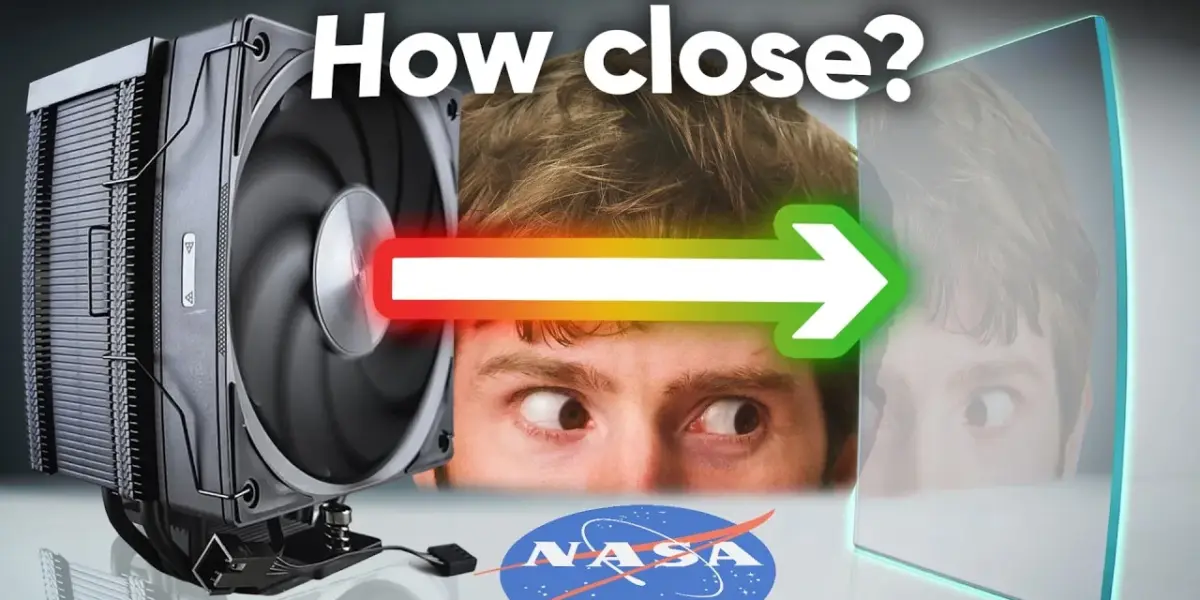
PC Fans Need Space: NASA Tests Airflow Limits
Ever wondered if shoving your computer tower right up against a wall or on a thick carpet is hurting its performance? It turns out, those common PC building choices could be ‘killing your gains,’ and now we have science, thanks to NASA, to tell us exactly why.
Computer cases have long struggled with airflow. Early designs often had intake fans starved for air, a problem that has mostly been fixed with newer, better-designed cases. However, users can still sabotage even the best designs. Placing a PC too close to solid objects can significantly reduce how well the fans can pull in cool air. But just how much space do PC fans really need to work their best? To answer this, a team went to NASA’s Langley Research Center to conduct some serious scientific testing.
Low-Tech Meets High-Tech for Airflow Insights
At NASA’s hypersonic test complex, scientists used a surprisingly simple method called ‘tufting’ to visualize airflow. This involves attaching small strings, or tufts, to the back of a fan. By observing how these strings move, researchers can see how airflow changes when the fan is placed at different distances from an obstruction, like a panel representing a computer case wall.
They tested a Noctua NFA12X25 fan, a popular choice among PC builders. Using acrylic as an airflow restrictor, they adjusted the distance from the fan face down to just 0.5 cm. The results showed that at a good distance, the fan performed well. Interestingly, the tufts only started to show significant disturbance when the panel was very close, about 1.5 to 2 cm away. When the panel got even closer, the fan’s airflow reversed, actually pulling the tufts back into the blades, indicating a serious problem.
To get a clearer picture, especially in slow motion, they used a high-powered UV lamp to make the glow-in-the-dark tufts stand out. A 4K high-speed camera recording at 1,000 frames per second captured the turbulent flow and reversed airflow in incredible detail. This allowed them to see how closer distances created more chaotic air movement and areas of low pressure behind the fan hub.
Advanced Science for PC Cooling: Particle Image Velocimetry
While tufting provided a good visual, the team moved on to a more advanced technique: Particle Image Velocimetry (PIV). This method involves filling the air with tiny particles and shining a bright, thin sheet of light through it. By taking two pictures just microseconds apart, and using complex calculations, scientists can map the speed and direction of the air’s movement.
The experiment used a specialized camera and a powerful computer (an i9 14900K with 192GB of RAM) to process the massive amounts of data. The results were visualized using color to show airflow speed and arrows to indicate direction. Without any obstruction, the airflow was smooth and fast, with a small dead zone directly behind the fan hub where there are no blades.
When an obstruction was placed 15 mm away, the results were still decent, but a larger dead zone appeared. The airflow also started to curl outward instead of going straight, meaning less force to push air through components like heatsinks or radiators. This happens because the lower pressure air at the fan blade tips interacts with the higher pressure air near the stationary hub.
Worst-Case Scenarios and Radiator Restrictions
The team then simulated worst-case scenarios. One test mimicked a PC pushed against a wall or a power supply sitting on carpet. In this situation, the fan struggled to pull air in from the edges, and a significant reverse flow vortex formed, doing little to cool the system.
To test how these restrictions affect cooling under load, they added a water cooling radiator, which creates high back pressure. With the obstruction just 15 mm away, the airflow was drastically reduced. The dead zone grew, and the speed of the air was cut in half, even though the radiator straightened out the flow. This shows how critical clearance is when dealing with components that resist airflow.
Noise Levels Also Affected by Clearance
Beyond performance, the NASA team also investigated how fan clearance affects noise. Using an anechoic chamber and advanced microphone arrays, they tested a louder, industrial fan. Intuitively, one might think covering a fan would make it quieter, but that’s not always the case.
When the front panel was present, even at a 15 mm gap, there was a noticeable increase in noise across a broad spectrum. This is likely due to the unstable, stalled flow in the center of the fan, similar to the turbulent water in rapids compared to a smooth river. This unsteady airflow makes the fan louder.
Key Takeaways for PC Builders
The main conclusion is clear: give your fans space. For optimal cooling performance, keep intake fans at least 15 mm (about 0.6 inches) away from any surfaces. If you’re dealing with components that add resistance, like heatsinks or radiators, aim for 20 mm or more of clearance.
Regarding noise, more clearance is generally better. Too little clearance creates turbulence and makes the fan work harder and louder. While these tests focused on one specific fan at full speed, the principles of airflow dynamics apply broadly to PC cooling.
The trip to NASA highlights how even everyday tech problems can benefit from rigorous scientific investigation. Understanding these details helps builders create more efficient and quieter systems. The team emphasized that science is about accumulating small discoveries, and this research adds a valuable piece to the puzzle of optimal PC cooling.
Specs & Key Features
- Fan Tested: Noctua NFA12X25 (and an industrial variant for noise testing)
- Obstruction Distances Tested: 15 mm, 20 mm, and closer down to 0.5 cm
- Testing Methods: Tufting, Particle Image Velocimetry (PIV)
- Key Findings: Significant airflow degradation and noise increase below 15-20 mm clearance
- Recommendations: Minimum 15 mm clearance for general intake, 20 mm+ with restrictive components
- Noise Impact: Reduced clearance leads to increased, unsteady airflow and higher noise levels
Who Should Care About This?
This research is crucial for PC builders, especially those focused on high-performance gaming rigs, SFF (Small Form Factor) builds where space is tight, or anyone looking to optimize their system’s cooling and acoustics. If you’ve ever placed your PC in a confined space, this information directly applies to improving your computer’s health and longevity.
Sponsor Spotlight: UG Green AI NAS
This video was brought to you by UG Green, makers of advanced AI NAS (Network Attached Storage) devices. Their IDX series helps users easily organize vast amounts of videos, images, and documents. With features like universal search, AI-powered organization, optical character recognition (OCR), and even a local AI chat tool for assistance, managing your digital life has never been easier. UG Green NAS also offers robust security features, including real-time virus scanning and flexible permission management. Early bird pricing is available with reservations starting at $30, offering savings up to $1,040. Check the link in the video description for more details.
Source: We Went to NASA To Solve a Computer Mystery (YouTube)

Related Articles


Can Ketchup Cool Your CPU? We Tested!
Can common condiments like ketchup, mayonnaise, or relish actually cool your CPU in a pinch? We tested these bizarre alternatives against a standard thermal paste, and the results are both surprising and alarming. Find out which food lasted the longest and why you should never try this at home.


AI Boom Triggers Unprecedented DRAM Shortage
The global DRAM market is facing an unprecedented shortage and price surge, driven by the massive demand from the AI industry. This crisis follows a significant downturn in the PC market and a prolonged period of no new production capacity.


10-Year-Old Tech: Still Usable or Ready for the Bin?
We tested 10-year-old tech from 2016, including gaming PCs, smartphones, consoles, and laptops. While the PlayStation 4 and upgraded PCs still hold up, older smartphones and laptops present security risks and performance issues, often being outperformed by modern budget devices.