Google’s Gemma 4: Tiny Model Outsmarts Giants
Google's new Gemma 4 AI model is surprisingly powerful for its small size, capable of running on phones and laptops. This open-source release offers a free and private alternative to paid AI services, challenging major tech companies.


Google’s Gemma 4: Tiny Model Outsmarts Giants
Google has just released Gemma 4, a new open-source AI model that’s making waves in the industry. What’s remarkable is how powerful this model is, especially considering its small size. It’s so efficient that it can even run directly on your smartphone or laptop, offering a private and free alternative to paid AI services.
This development challenges the business model of large AI companies. They often keep their most capable models behind paywalls. However, with models like Gemma 4 becoming accessible on personal devices, users can access advanced AI without ongoing costs or privacy concerns. This shift towards local AI models is a significant trend, and falling behind means missing out on these advancements.
What is Gemma 4?
Gemma 4 is Google’s latest open-source AI model. It’s incredibly capable for its size, marking a new era where powerful AI doesn’t require expensive hardware or subscriptions. You can now run advanced AI directly on the devices you already own.
The performance of Gemma 4 is particularly impressive. It reportedly outperforms models that are nearly 30 times larger. For instance, Gemma 4, with 31 billion parameters, performs at a similar level to models with 1.1 trillion parameters. This leap in efficiency is a major breakthrough.
Adding to its capabilities, Gemma models are multimodal. This means they can understand and process various types of data, including images, audio, and video, not just text. This allows for more dynamic and interactive AI applications, like real-time image recognition and description.
Understanding Model Sizes and Types
AI models are often measured by their ‘parameters.’ Think of parameters like the tiny knobs and dials within the AI that are adjusted during its training. More parameters generally mean a more complex and potentially capable model, but also one that requires more computing power.
Gemma 4 comes in different versions, varying in size and architecture. Google offers both ‘dense’ and ‘mixture of experts’ (MoE) models. A dense model activates all its parameters for every task, making it simpler but resource-intensive. An MoE model, on the other hand, is more selective, activating only specific parameters relevant to the task. This makes MoE models faster and more efficient for certain operations.
For example, Gemma 4 has versions like E2B and E4B, which are designed for mobile devices, using fewer ‘effective’ parameters. Larger versions, like the 31 billion parameter dense model and the 26 billion parameter MoE model, are intended for laptops and desktops. The MoE model, despite having fewer parameters than the dense model, can be faster because it doesn’t use all its parameters at once. This allows users with less powerful hardware, like 16GB of RAM, to run the MoE version.
The performance of Gemma 4 is evident on benchmarks like the ‘arena benchmark.’ The dense 31 billion parameter model ranks highly among open-source models, even surpassing models with hundreds of billions of parameters.
Running Gemma 4 Locally
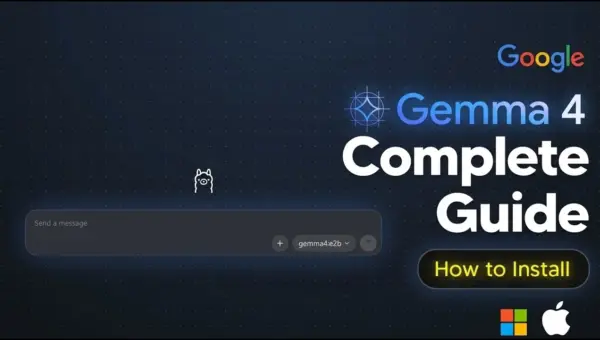
Setting up Gemma 4 on your computer is straightforward. Tools like Olama, LM Studio, and Llama CPP make it easy. Olama is highlighted for its simplicity and user-friendly interface, while Llama CPP offers maximum performance.
To install Olama, you can use a simple command in your computer’s terminal. Once installed, you can download various Gemma 4 models directly through Olama. The choice of model size depends on your computer’s specifications, particularly its RAM and VRAM (video RAM for graphics cards).
For Mac users with Apple Silicon (M1, M2, M3 chips), the shared RAM architecture provides an advantage for running AI models locally. For Windows users with Nvidia GPUs, the VRAM of the graphics card is the primary factor.
Once downloaded, you can interact with Gemma 4 through the terminal or via Olama’s desktop application, which provides a chat interface similar to ChatGPT. This allows for a seamless experience without needing to use complex commands.
Gemma 4 on Your Phone
The most exciting aspect of Gemma 4 is its ability to run on smartphones. Google provides the ‘Google AI Edge Gallery’ app, available on both the Google Play Store and Apple App Store. This app allows you to download and run smaller versions of Gemma 4, like the E2B and E4B models, directly on your phone.
These mobile-optimized versions, while smaller, still offer impressive performance. You can engage in conversations, ask questions, and even get explanations of complex topics like how AI inference works, all offline and with your data remaining private on your device. While top-tier models like GPT-4 still lead in highly specialized tasks like advanced coding or complex mathematics, Gemma 4 on your phone is more than capable for everyday AI needs.
Real-World Applications and Impact
Why This Matters: The release of Gemma 4 signifies a major shift towards democratizing AI. It empowers individuals and smaller businesses by providing access to powerful AI tools without significant financial investment or reliance on cloud services.
- Cost Savings: Users can avoid monthly subscription fees for AI services.
- Privacy: Data processed by local models stays on the user’s device, enhancing privacy and security.
- Offline Access: AI capabilities are available even without an internet connection, crucial for remote areas or during travel.
- Innovation: Developers can more easily build and experiment with AI applications, fostering new innovations.
- Performance: Gemma 4’s ability to perform on par with much larger models opens doors for more efficient AI deployment.
Furthermore, Gemma 4’s capabilities extend to tasks like web development and UI design. Examples show the model generating functional web components and design elements with remarkable accuracy, even on mobile devices. This suggests future applications in rapid prototyping and on-the-go development.
Integration with AI Agents
Gemma 4 can also power AI agents, creating sophisticated tools that can perform complex tasks. By connecting Gemma 4 with agent frameworks like Hermes Agent, users can build fully local AI assistants. These agents can interact with your computer’s file system, use tools, and perform actions based on natural language commands, all without sending data to external servers.
While local agents might be slower than their cloud-based counterparts, especially with complex prompts, they offer unparalleled privacy and control. Tools like PiDev are also emerging as efficient frameworks for running minimal AI agents locally, optimized for models like Gemma 4.
The availability of powerful, free, and private AI models like Gemma 4 marks a significant step forward. It puts advanced AI capabilities directly into the hands of users, enabling a new wave of creativity and productivity.
Source: Gemma 4 is insane… best open-source model ever?! (YouTube)

Related Articles


Jobs Surge Beats Forecasts, Fed Rate Cuts Unlikely
The U.S. economy added 178,000 jobs in March, surpassing expectations and leading to a drop in unemployment to 4.3%. This strong hiring surge makes Federal Reserve interest rate cuts less likely in the near future. The Labor Department also discussed the potential of AI to boost jobs and proposed changes to 401(k) plans.

Google’s Gemma AI Runs Locally on Your PC
Google's new Gemma AI models can now be run locally on your own computer thanks to tools like Ollama. These powerful yet small models offer advanced capabilities, including image processing, and can be used for free, making cutting-edge AI more accessible than ever.


Nvidia’s Self-Driving Tech Powers LA Test Drive
Nvidia's L2++ autonomous driving platform was tested in a real-world LA drive, showcasing its sensor fusion and decision-making capabilities. The company plans a nationwide rollout and Level 4 robo-taxi services, signaling strong progress in the autonomous vehicle market.